Actions, Sessions, and Audit History
Heartwood separates a model suggestion from an executed action. OpenHands proposes tools, Heartwood applies the selected confirmation policy, and the session records the decision and result.
Choose When Heartwood Pauses
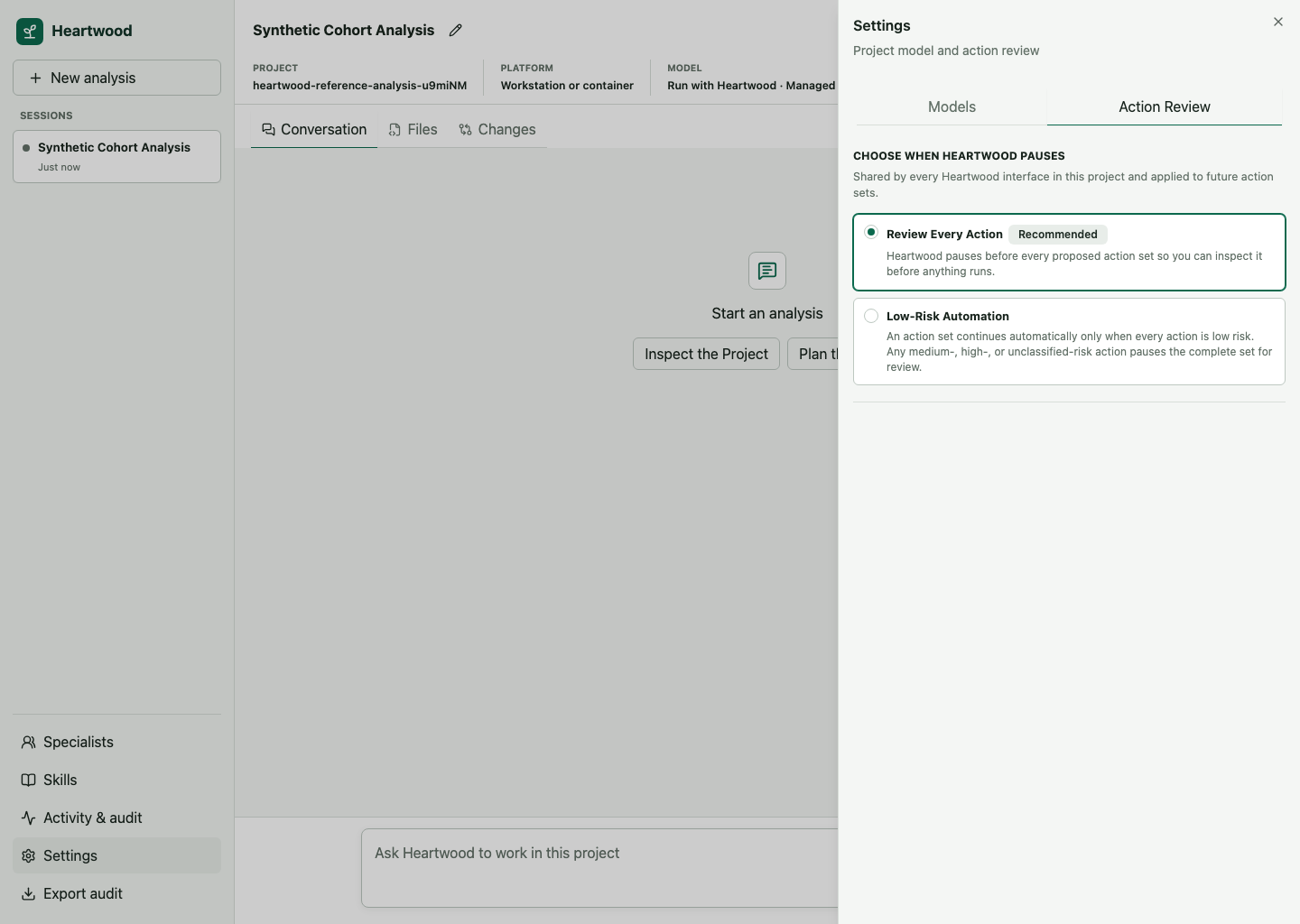
| Mode | Behavior |
|---|---|
| Review Every Action | Pause before every OpenHands action set so you can inspect it before anything runs |
| Low-Risk Automation | Continue only action sets made entirely of low-risk actions; pause the complete set when any action is medium risk, high risk, or unclassified |
The detected platform policy determines which modes are available. Review Every Action is the default and the recommended mode while learning the system or working with sensitive projects. It is required when the selected model uses a credential that the platform does not isolate from the OpenHands tool runtime. Low-Risk Automation remains available for credential-free routes and live-qualified platform-isolated routes when platform policy permits it. The selected mode applies to future action sets in the project and is shared by the terminal, browser, and notebook bridge.
In the full-screen terminal, enter /permissions or press Ctrl-P and choose Action Review.
In the browser, select the current Action review value in the session header or open the Action Review settings tab.
For scripts and the plain terminal, use:
Grouped Decisions
OpenHands may propose several related tool calls as one action set. Heartwood displays those calls as one action set and resolves them together instead of presenting misleading per-item controls.
A set is allowed only after the user or policy resolves the pending review. Allowing the set runs every member once. Rejecting the set prevents all of its members from executing.
Session History
Session events include user requests, model-route decisions, final assistant responses, proposed tools, confirmation decisions, tool outcomes, lifecycle, task status, model usage, specialist lineage, and stable errors. The gateway turns that stream into one projection for terminal, browser, and notebook clients. Incremental response tokens are visible while the model works but are not persisted.
Each proposed tool has one versioned action record. It correlates the OpenHands action and tool-call identifiers, grouped decision, typed terminal, file-editor, Task, or other arguments, execution state, bounded outcome, and explicitly supported affected paths. States distinguish proposed, awaiting review, approved, rejected, running, succeeded, failed, and outcome unknown. Heartwood does not infer authoritative file changes from shell command text.
Use /replay in the terminal or the browser activity view to inspect it.
Replay verifies the audit chain and the one-to-one hash binding between each audit record and the complete session event before returning persisted history.
Audit Export
Use /audit-export or the browser export control to create a JSON Lines file for review.
The export is scrubbed and content-minimized.
It records task counts and statuses instead of task titles or notes, usage totals instead of completion content, and stable error codes instead of provider details.
Specialist delegation instructions and returned review prose remain out of the audit export; only minimized lifecycle, action, and usage evidence is retained there.
Exact action arguments, commands, affected paths, file content, diffs, tool output, and failure text remain in private session state and are not copied into the audit export.
Operational identifiers, decisions, classifications, counts, and timestamps may still be sensitive in context.
Run heartwood audit verify to fully verify the paired session and audit history without creating a new export.
Use heartwood audit export --output PATH when a reviewed copy is needed outside private project state.
An audit record supports review and reproducibility; it is not proof that a scientific result is correct or that a deployment meets a regulatory requirement. A normal export is not an authoritative records artifact because the project owner can replace or delete it. Platform operators can create an externally retained, signed artifact by following Audit Checkpoints and Retention.